
Budgeting apps in Australia that connect to your bank (2026)
A fair roundup of Australian budgeting apps with their own bank feeds, plus great tools without one (YNAB, Actual Budget, Sure, Google Sheets, Notion, Airtable) and how to add Australian bank sync to them.

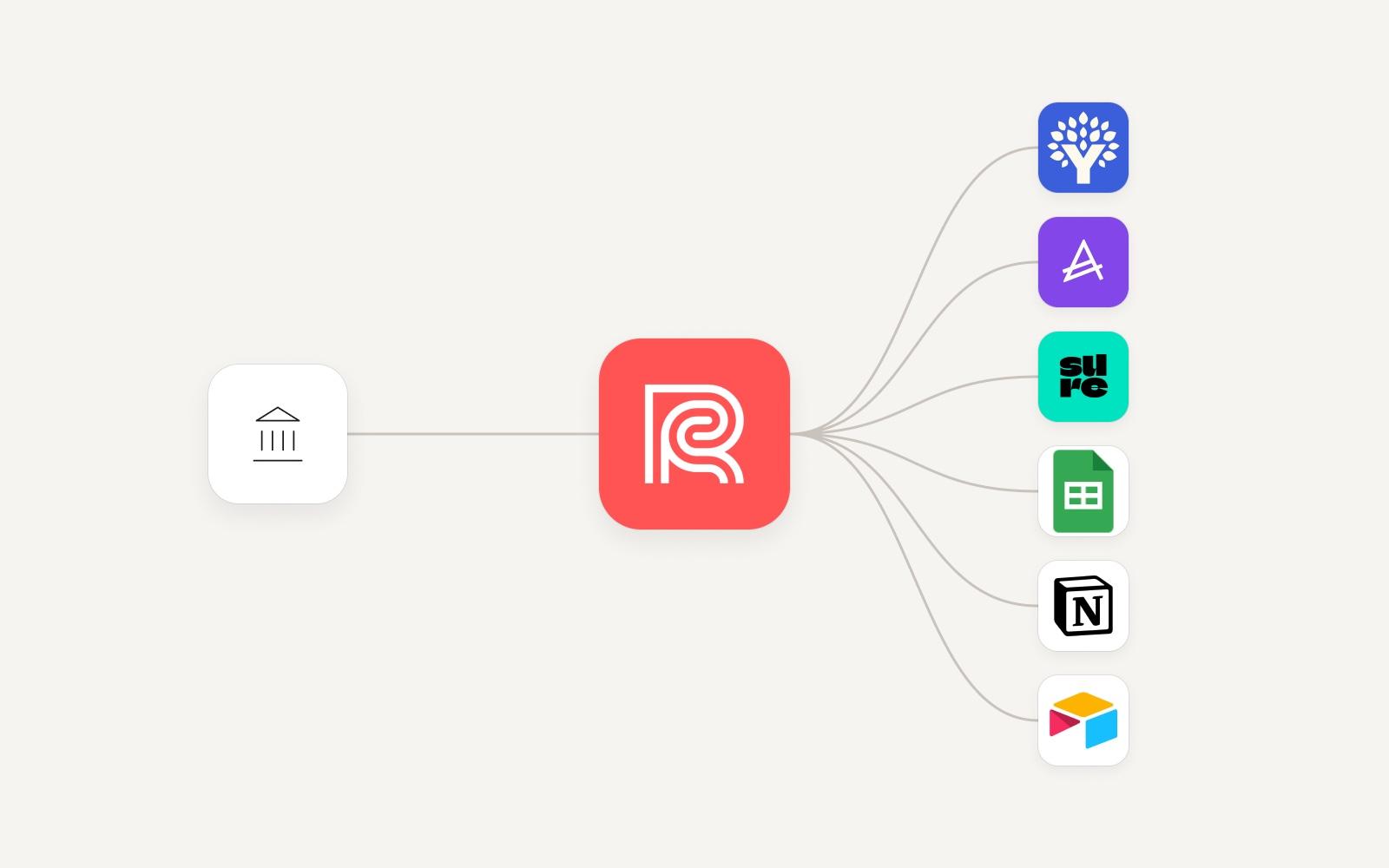
Short answer: PocketSmith, Frollo and WeMoney all connect to Australian banks on their own, mostly through Open Banking (the Consumer Data Right, or CDR). Popular tools like YNAB, Actual Budget, Sure, Google Sheets, Notion and Airtable have no built-in Australian bank feed, so you either import CSV files by hand or add a feed with a sync service such as Redbark. Pick the app for how you like to budget, then check how your bank data will get into it.
Most "best budgeting app" lists rank apps on features. That matters, but in Australia the first question is simpler: will this app actually see my transactions? An app you have to feed by hand every week is an app most people stop using.
So this guide is split in two:
- Apps that bring their own Australian bank feed.
- Good tools that don't, and how to add one.
Prices and features below were checked on each vendor's own website at the time of writing (October 2026). They change, so confirm before you sign up.
How bank data gets into a budgeting app
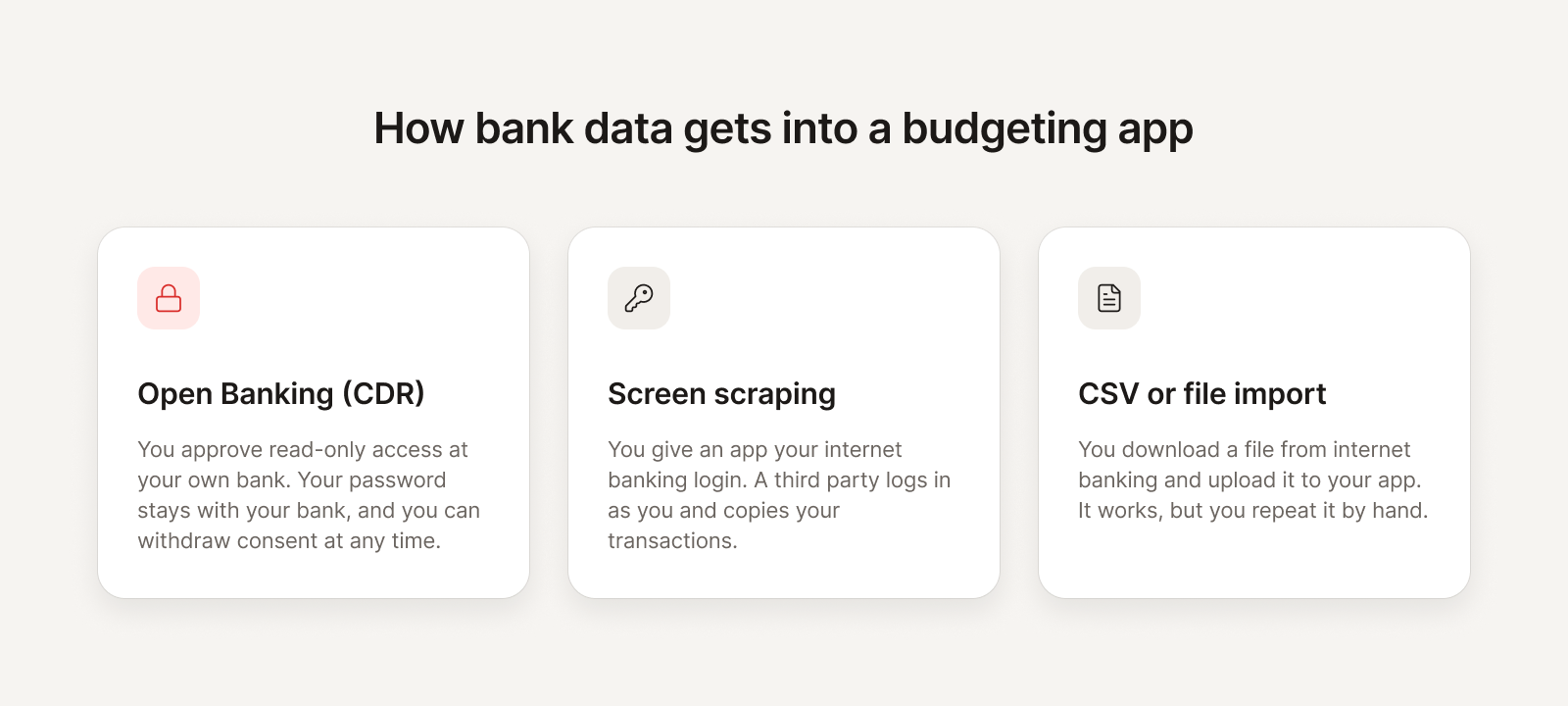
There are three ways your transactions can reach a budgeting app in Australia.
- Open Banking (CDR). You pick your bank, log in on your bank's own page, and approve read-only access to specific accounts for a set time. Your password stays with your bank. You can withdraw consent at any time. This is the regulated path, run under the Consumer Data Right.
- Screen scraping. You give the app (or its data partner) your internet banking login, and it logs in as you to copy your transactions. It still exists in Australia, usually as a fallback for institutions not yet on Open Banking. We explain the differences in CDR vs screen scraping.
- CSV or file import. You download a file from internet banking and upload it. It works with almost any app. The catch is that you repeat it by hand, every time.
When you read an app's marketing, look for which of these it uses for your bank. "Connects to your bank" can mean any of the three.
Budgeting apps with their own Australian bank feeds
These apps connect to Australian banks themselves. Your data lives inside the app, and you budget there.
PocketSmith
PocketSmith is a long-running personal finance app known for cash-flow forecasting. It projects your balances months or years ahead using your scheduled income and bills, and shows them on a calendar.
How bank data gets in: PocketSmith supports Australian Open Banking (CDR) feeds through two data providers, Mastercard and Basiq. Its help centre says feeds created from August 2026 run through Mastercard. For institutions outside the CDR, such as some non-bank lenders and dedicated super funds, it says it likely supports them through other access methods.
Price at time of writing: there is a free plan. Paid plans are Foundation (US$9.99 a month billed annually, or US$14.95 monthly), Flourish (US$16.66 a month billed annually, or US$24.95 monthly) and Fortune (US$26.66 a month billed annually, or US$39.95 monthly). Higher tiers allow more connected banks.
Suits: planners who want to see where their balances are heading, and are happy to do everything in one app. We have a longer PocketSmith comparison if you want more detail.
Frollo
Frollo is a free Australian money management app with budgets, spending insights and goals. Frollo describes itself as an Open Banking provider.
How bank data gets in: Frollo's App Store listing says it uses the Consumer Data Right (Open Banking) to link your accounts, with read-only access, and that it never sees or stores your banking password. For institutions not yet on Open Banking, the listing says it provides access via screen scraping.
Price at time of writing: free. The listing says "No ads. No subscriptions."
Suits: people who want a polished, free, all-in-one budgeting app on their phone. See our Frollo comparison.
WeMoney
WeMoney is a free Australian app focused on debt, credit score insights, goals, and bill and subscription tracking, with a community layer on top.
How bank data gets in: WeMoney says it is an accredited and active member of the Australian Consumer Data Right scheme. Its security page says it also partners with Mastercard and Yodlee for selected financial institutions.
Price at time of writing: free to download. A paid tier, WeMoney Pro, adds features such as custom categories and desktop access. The site did not list a Pro price when we checked.
Suits: people paying down debt who also want to keep an eye on their credit score. See our WeMoney comparison.
If you're coming from Pocketbook or MoneyBrilliant
Both have closed. Zip shut Pocketbook in August 2022, and Westpac retired MoneyBrilliant in December 2022. If you're still looking for a replacement, we wrote about what changed in our Pocketbook and MoneyBrilliant pages.
Great tools without a native Australian bank feed
These are some of the most loved budgeting tools around. None of them has a built-in feed for Australian banks. Out of the box, that means CSV imports. With a sync service, it means automatic transactions.
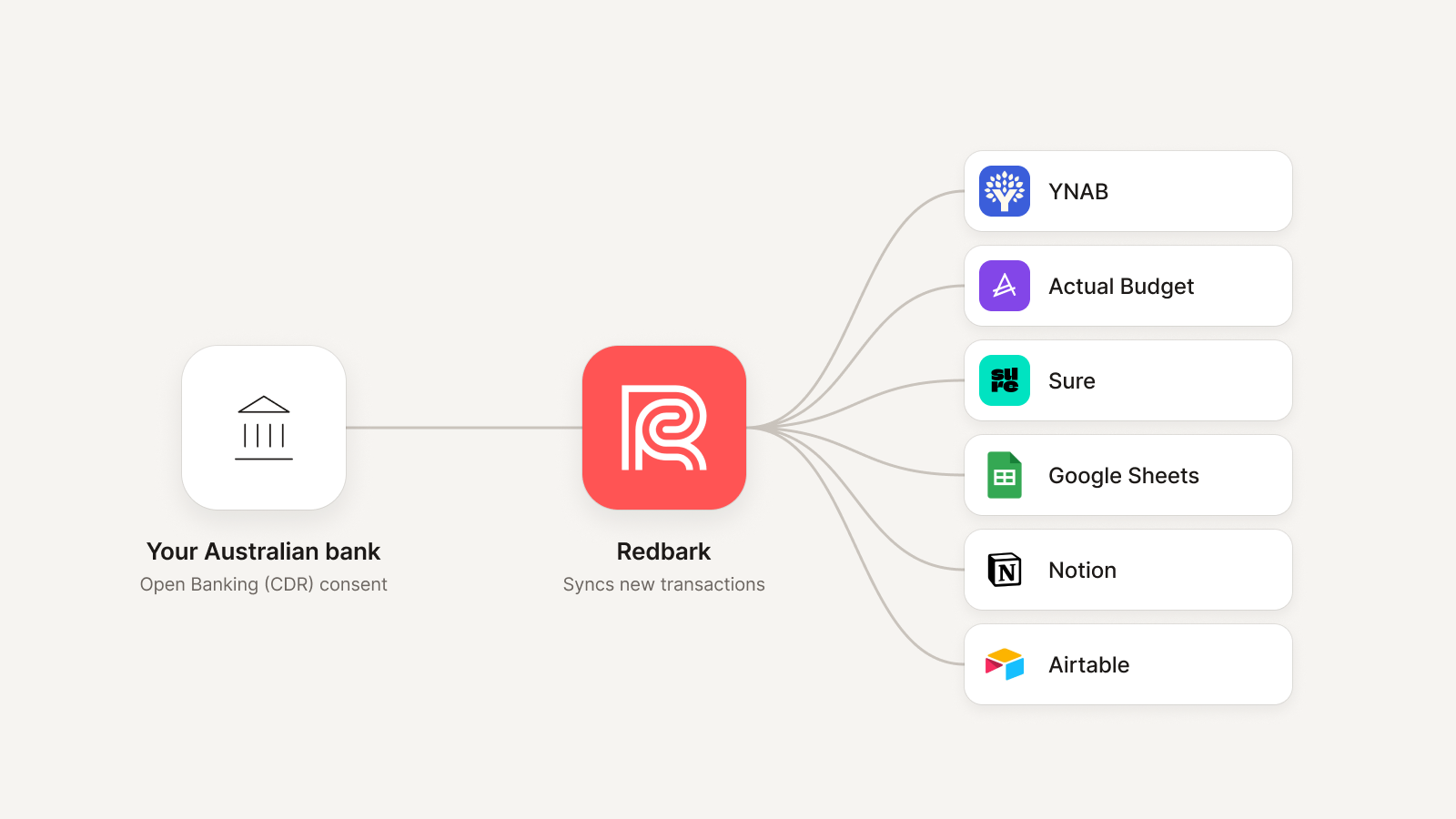
This is the gap Redbark fills. Redbark is not a budgeting app. It connects to your Australian bank through Open Banking (CDR) via Fiskil, an accredited data recipient, and syncs your transactions into the tool you already use. Redbark doesn't store your transactions; each sync writes them to your destination. There's more detail in how Redbark handles your data.
YNAB (You Need a Budget)
YNAB is built around zero-based budgeting: give every dollar a job before you spend it. It has a strong method, good teaching material and a loyal following, including many Australians.
How bank data gets in: YNAB's direct import covers selected US, Canadian, UK and EU banks. Australian banks are not on that list, so Australian users import files (CSV is YNAB's preferred format) or enter transactions by hand. Redbark syncs Australian transactions into YNAB as a native destination, with account mapping and optional category mapping. Our step-by-step guide is Sync Australian banks to YNAB.
Price at time of writing: US$14.99 a month or US$109 a year, with a 34-day free trial.
Suits: people who want a structured method and an app that holds them to it. More on Redbark and YNAB.
Actual Budget
Actual Budget is a free, open-source, local-first budgeting app that uses envelope budgeting, much like YNAB. You can self-host it, or use a third-party host.
How bank data gets in: Actual's own site lists built-in bank sync through GoCardless (EU/UK) and SimpleFIN (US/Canada). Neither of those covers Australian banks by default, but Redbark is a SimpleFIN provider for Australian banks. You paste one setup token into Actual and your Australian accounts sync natively. See Sync Australian banks with Actual Budget.
Price at time of writing: free to self-host.
Suits: YNAB-style budgeters who want to own their data and avoid a yearly subscription.
Sure
Sure is the community-run continuation of Maybe Finance, released under the AGPLv3 licence and self-hosted with Docker. It's more of a full personal finance dashboard than a strict budgeting app: accounts, investments, budgets and net worth in one place.
How bank data gets in: Sure's bank sync is built on SimpleFIN, which Redbark serves for Australian banks. Our guide walks through it: Sync Australian banks with Sure.
Price at time of writing: free to self-host.
Suits: people who care more about the whole picture, including net worth, than strict envelope budgeting.
For more self-hosted options, including Firefly III, see our roundup of open-source budgeting alternatives for Australia.
Google Sheets
A spreadsheet is still the most flexible budget there is. You set the categories, the formulas and the charts, and nothing changes unless you change it.
How bank data gets in: Google Sheets has no bank feed of its own, so most people paste in CSV exports. Redbark writes each transaction to a sheet you choose, and keeps it current as new transactions post. See Sync Australian banks to Google Sheets.
Suits: people who already budget in a spreadsheet and want it to fill itself.
Notion
If you already run your life in Notion, a database of transactions next to your budget pages and goals can work well, with views and rollups on top.
How bank data gets in: no native bank feed. Redbark syncs transactions into a Notion database. See Sync Australian bank data to Notion.
Price at time of writing: Notion has a free plan for individuals.
Suits: people who want their money in the same workspace as everything else.
Airtable
Airtable sits between a spreadsheet and a database. You get views, linked records, interfaces and automations on top of your transactions.
How bank data gets in: no native bank feed. Redbark creates the transaction fields in your table and deduplicates on transaction ID. See Sync Australian bank data to Airtable.
Price at time of writing: Airtable has a free plan. Its free plan has record and API limits, so check them if you have years of history.
Suits: people who want automations and custom interfaces on their spending data.
Comparison table
| App | Australian bank feed built in | How Australian bank data gets in | Price at time of writing | Best for |
|---|---|---|---|---|
| PocketSmith | Yes | Open Banking (CDR) via Mastercard and Basiq; other methods for some institutions | Free plan; paid from US$9.99/mo billed annually | Cash-flow forecasting |
| Frollo | Yes | Open Banking (CDR); screen scraping where a provider isn't on Open Banking | Free | A free all-in-one app |
| WeMoney | Yes | Open Banking (CDR); Mastercard and Yodlee for selected institutions | Free; paid Pro tier | Debt and credit score |
| YNAB | No | CSV import, or Redbark | US$14.99/mo or US$109/yr | Zero-based budgeting |
| Actual Budget | No | CSV import, or Redbark via SimpleFIN | Free to self-host | Envelope budgeting you own |
| Sure | No | CSV import, or Redbark via SimpleFIN | Free to self-host | Net worth dashboard |
| Google Sheets | No | CSV import, or Redbark | Available to anyone with a Google account | Your own spreadsheet budget |
| Notion | No | Redbark | Free plan available | Money alongside your notes |
| Airtable | No | Redbark | Free plan available | Views and automations |
How to choose
Start with how you want to budget, not with the bank feed. The feed is a solvable problem. A method you don't like is not.
- You want a free app that does everything on your phone. Frollo or WeMoney. Both connect to Australian banks themselves.
- You want to plan ahead. PocketSmith's forecasting is its strength.
- You want a strict method that changes your habits. YNAB, with Redbark for the Australian feed.
- You want to own your data and not pay a subscription for the app. Actual Budget or Sure, self-hosted, with Redbark over SimpleFIN.
- You want full control of the layout. Google Sheets, Notion or Airtable, with Redbark keeping them current.
- You're a developer, or want an AI assistant to read your accounts. Redbark also has a REST API, webhooks and an MCP server for assistants like Claude and ChatGPT. See managing your finances with Claude and ChatGPT.
Then check two things for your own bank:
- Is it supported over Open Banking? Most Australian banks and many credit unions are. Redbark lists 100+ supported institutions, including CommBank, ANZ, NAB, Westpac, Macquarie and ING.
- Is it via CDR or screen scraping? If an app asks for your internet banking password, it isn't using Open Banking for that connection.
What Redbark costs
Redbark has a 7-day free trial with no credit card. After that, plans start at A$10 a month billed annually, or A$12 billed monthly. That plan covers Google Sheets and YNAB. SimpleFIN for Actual Budget and native Sure sync are on the Developer plan, from A$16 a month billed annually. Full details are on the pricing page.
Redbark also connects New Zealand banks and US banks, if you hold accounts across the Tasman or in the US.
FAQ
Which budgeting apps connect to Australian banks?
PocketSmith, Frollo and WeMoney connect to Australian banks themselves, mostly through Open Banking (CDR). YNAB, Actual Budget, Sure, Google Sheets, Notion and Airtable don't have a built-in Australian feed, but Redbark can add one.
Does YNAB work in Australia?
Yes, the app works fine in Australia. What it lacks is direct import for Australian banks, so transactions come in by file import, by hand, or through a sync service like Redbark.
Is Open Banking safer than screen scraping?
With Open Banking, your password stays with your bank, access is read-only and limited to what you approve, and you can withdraw it at any time. With screen scraping, a third party holds your login. Read CDR vs screen scraping for the full comparison.
How long does Open Banking consent last?
Up to 12 months, and you can revoke it sooner. Redbark emails you before a consent expires. See CDR consent duration.
Can I just use a spreadsheet instead of a budgeting app?
Yes. Plenty of people do. The hard part has always been getting transactions in. Redbark syncs them into Google Sheets, Notion or Airtable automatically, so the spreadsheet stays current without CSV downloads.
Is Redbark a budgeting app?
No. Redbark is the bank sync layer. It gets your Australian bank data into the budgeting app or tool you choose, and leaves the budgeting to that tool.