
How to Sync Australian Banks with Sure
A step-by-step guide to connecting your Australian bank accounts to Sure with Redbark's SimpleFIN support, for automatic native bank syncing.


Native Australian bank syncing for Sure
Sure is the community-maintained continuation of Maybe Finance, and it has quickly become one of the best self-hosted personal finance apps around. It tracks your accounts, investments, budgets, and net worth, and you run it yourself, so your data stays yours.
The catch for Australians has always been getting bank data in. Sure's bank sync is built on SimpleFIN, and until now there was no SimpleFIN provider that covered Australian banks. You were left with CSV imports or manual entry.
Redbark now speaks SimpleFIN natively, so Sure can pull live data from 100+ Australian banks through regulated Open Banking. Setup takes about five minutes, and this guide walks through every step with screenshots.
What you need before starting
- A running Sure instance (self-hosted or hosted)
- An Australian bank account with one of the 100+ supported institutions (ANZ, CommBank, NAB, Westpac, Macquarie, Up, and most smaller banks and credit unions)
- A Redbark account (7-day free trial, no credit card required)
Step 1: Connect your bank to Redbark
If you have not already, sign up for Redbark and add a connection: click "Add Connection" and choose Australian Banks. This takes you to Fiskil's consent screen, where you select your bank, log in with your bank directly, and approve a CDR consent for Redbark to read your account and transaction data.
Fiskil is accredited under the Consumer Data Right, so your bank is legally required to share your data when you consent, and nobody except your bank ever sees your banking password. The whole flow takes about a minute, and your accounts appear in the Redbark dashboard straight after.
Step 2: Generate a SimpleFIN setup token
Head to Settings → API & MCP and find the SimpleFIN section.
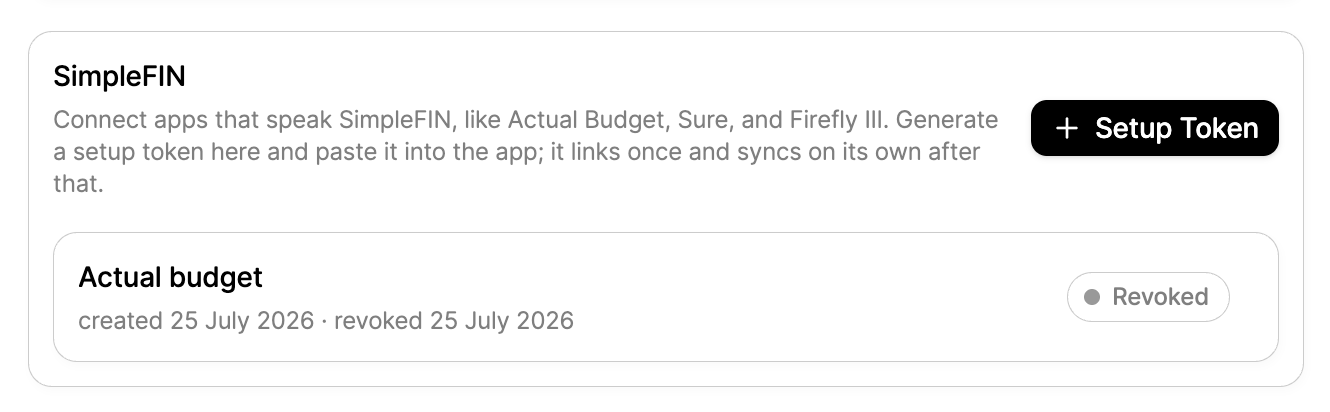
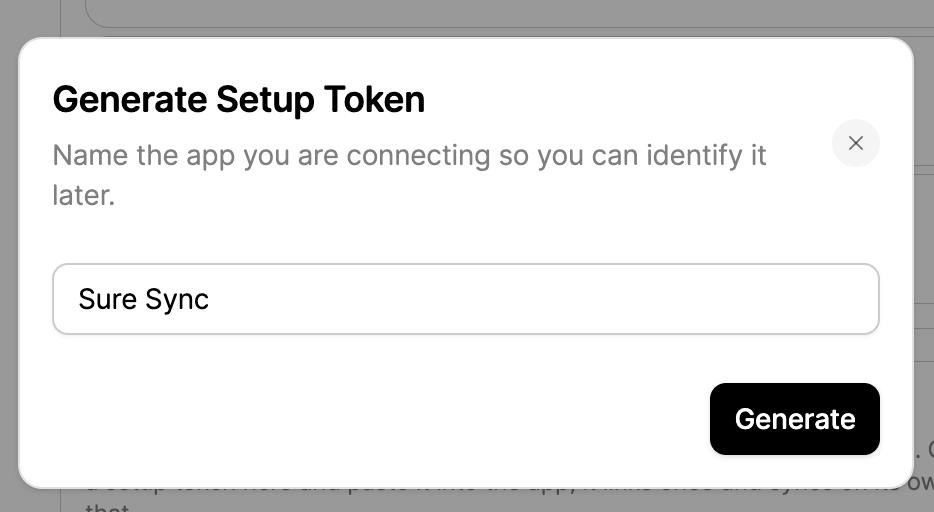
Click "Setup Token" and give it a name so you can identify it later. Something like "Sure Sync" works.
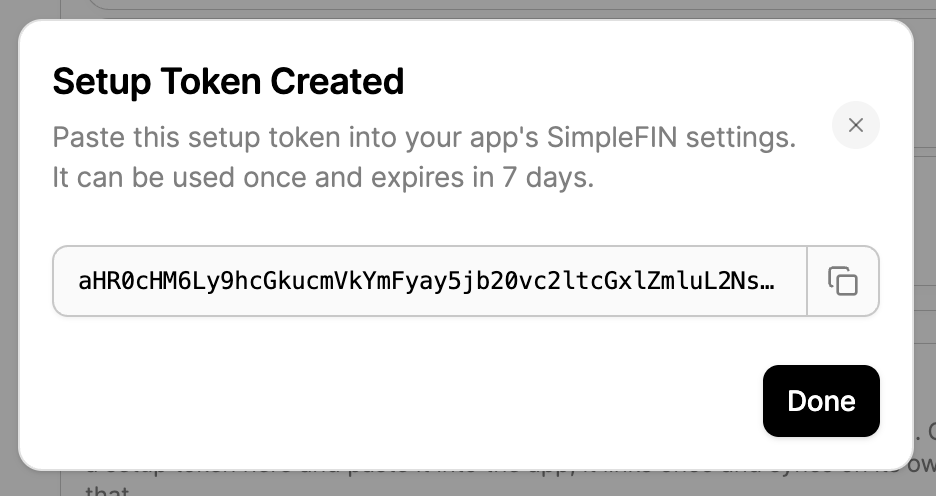
Redbark generates a one-time setup token. Copy it now: it is shown once, can be claimed once, and expires in 7 days if unused.
Step 3: Add the SimpleFIN connection in Sure
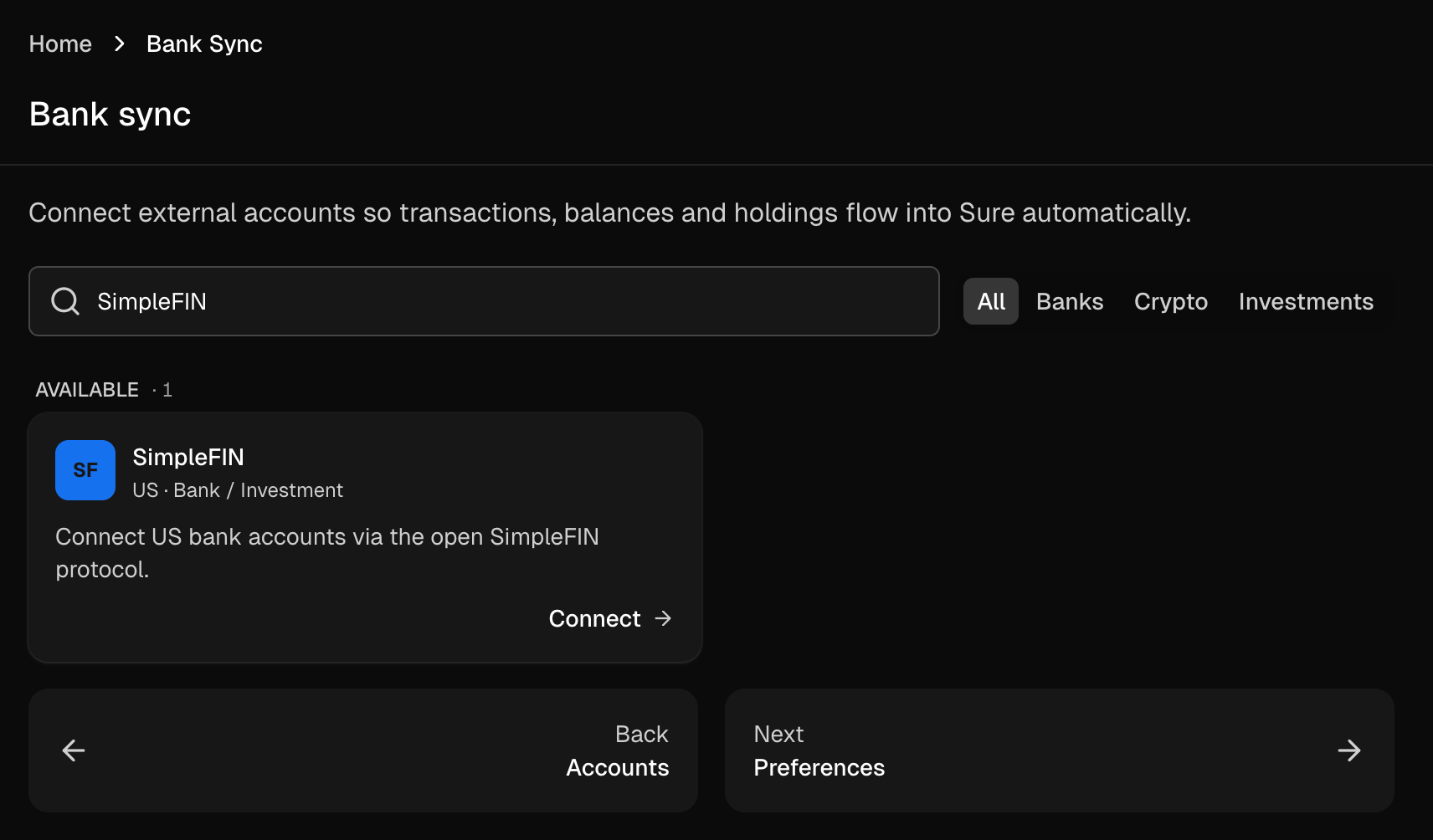
In Sure, go to Accounts, click "New account", and choose Bank sync. Search for SimpleFIN and hit Connect.
Sure's dialog mentions SimpleFIN Bridge, which is the American provider. Ignore that part: paste your Redbark setup token instead and click "Save and connect".
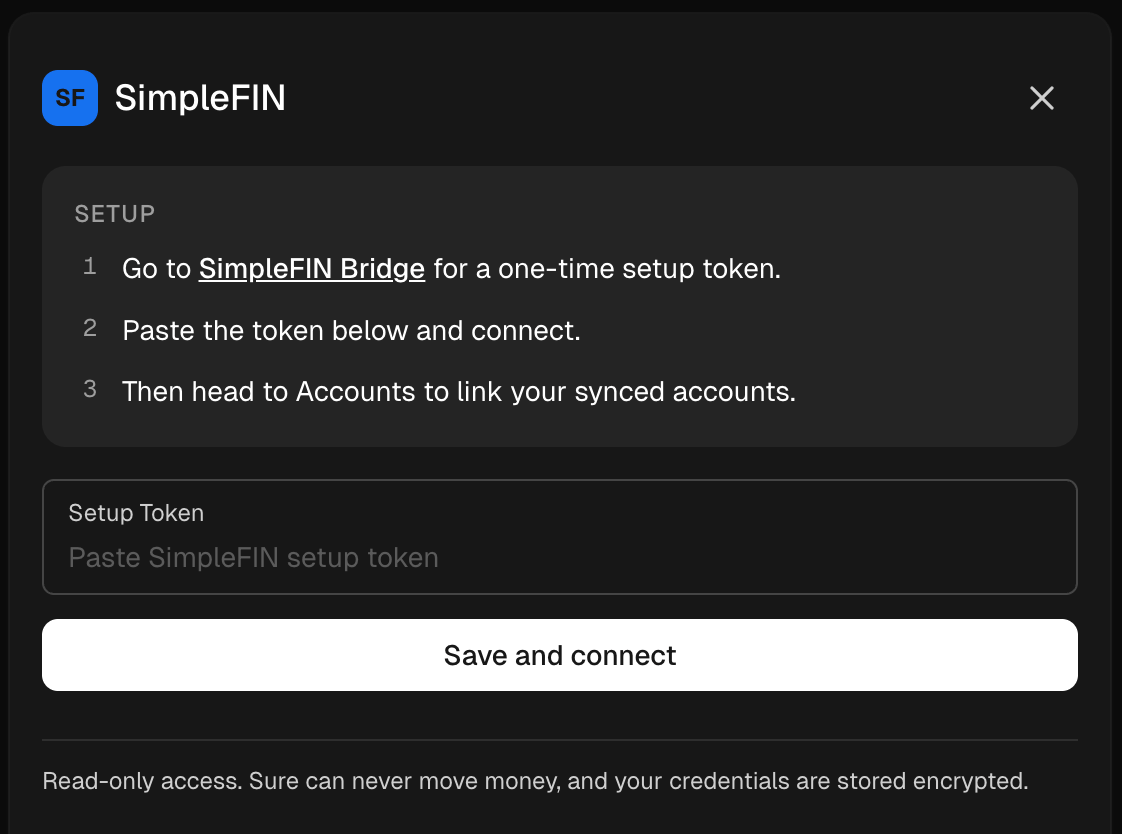
Behind the scenes, Sure claims the token from Redbark and receives its own private, read-only credentials. Sure can never move money, and it never sees your bank login.
Step 4: Set up your imported accounts
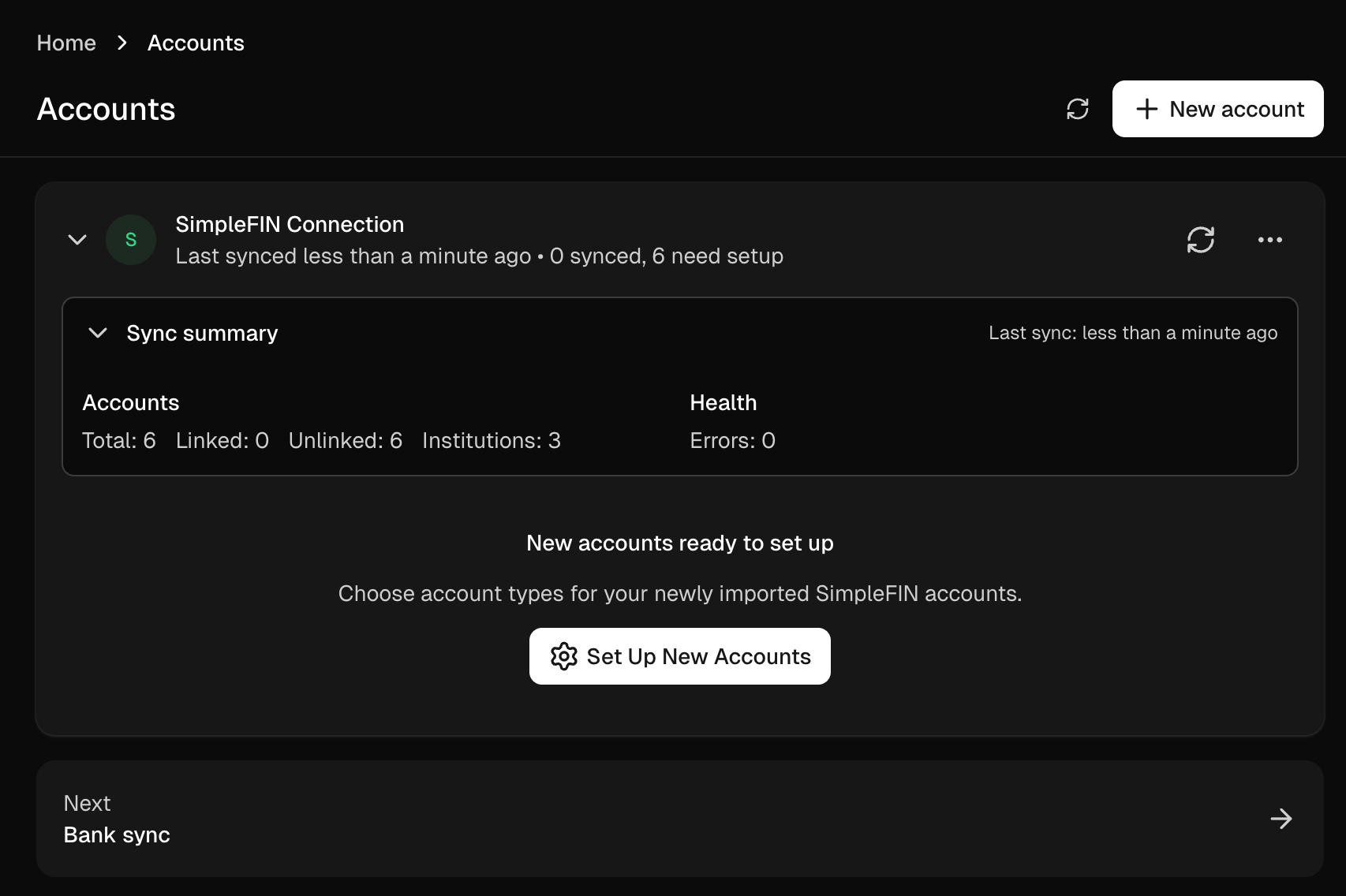
Sure fetches your accounts immediately. They arrive unlinked, so click "Set Up New Accounts" to tell Sure what each one is.
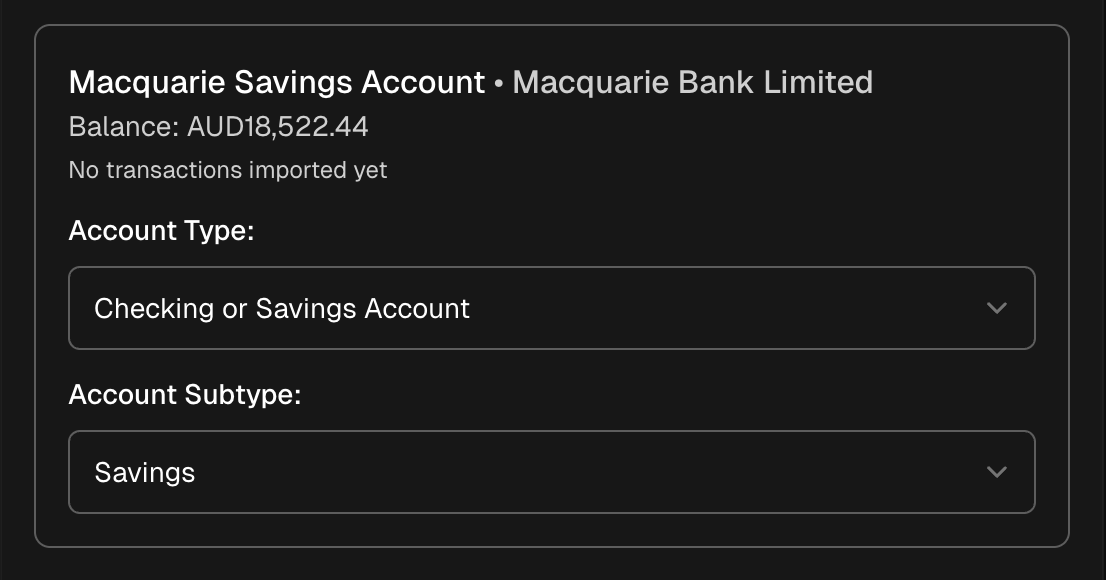
For each account you pick a type and subtype: a savings account becomes Checking or Savings, a credit card becomes Credit Card, and so on. Sure shows the live balance it pulled from your bank so it is easy to tell accounts apart.
Step 5: Done. Your accounts are live.
That's it. Your Australian accounts now sit in Sure with live balances, grouped by type, syncing automatically.
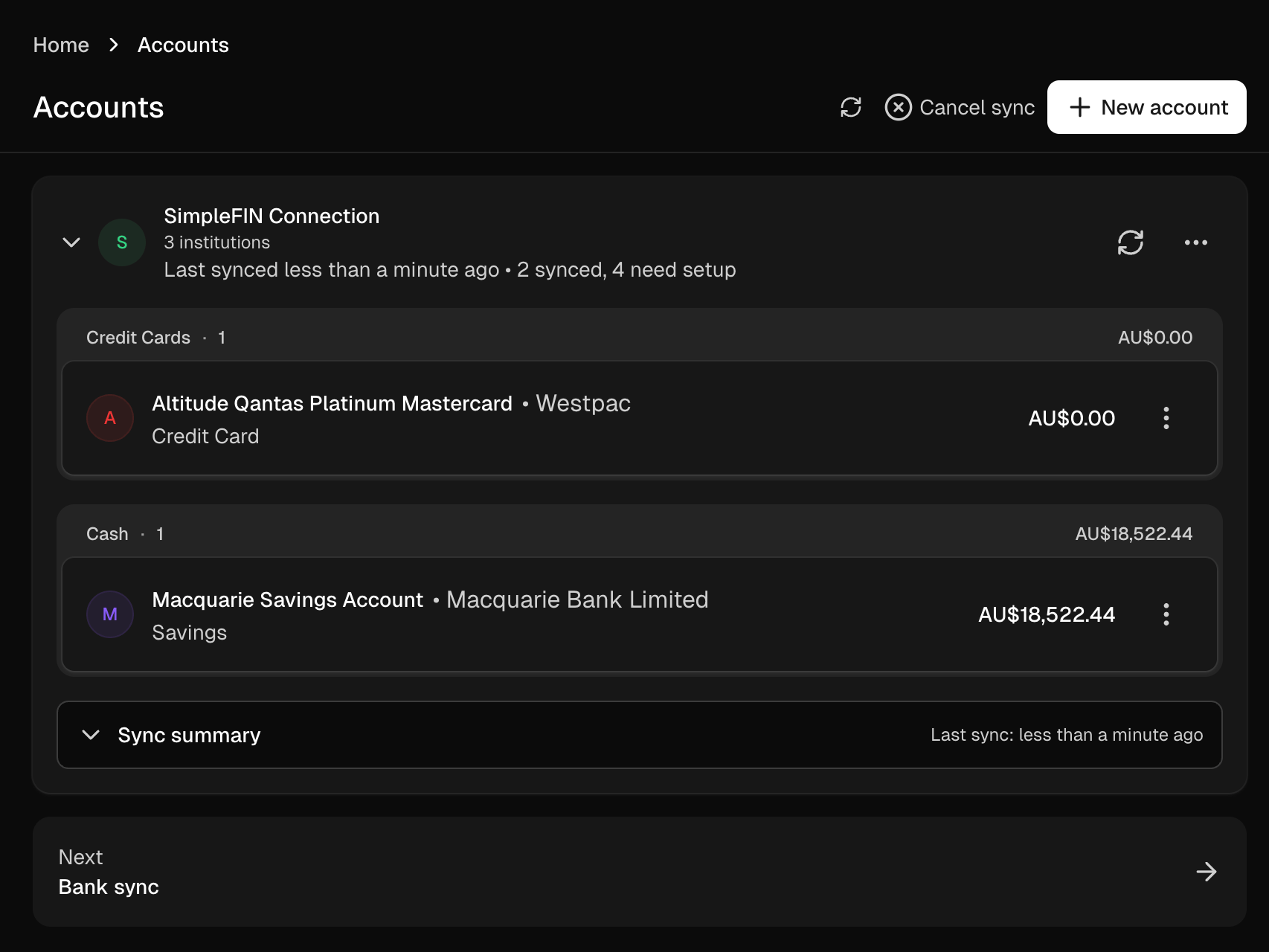
Sure refreshes on its own schedule (roughly daily, plus whenever you hit the sync button), and every sync pulls live data from your bank through Redbark. Transactions carry stable IDs, so re-syncs never create duplicates, and pending transactions reconcile cleanly once they post.
A few things worth knowing
- Nothing is stored on our side. Redbark proxies data live from your bank at the moment Sure asks. We keep no copy of your balances or transactions.
- Revoke any time. The SimpleFIN section under Settings → API & MCP shows every connected app. Revoking Sure's token cuts its access immediately without touching your bank consent or any other app.
- Connect more apps. The same flow works for Actual Budget and the Firefly III importer, each with its own token.
- History. Sure backfills historical transactions in chunks after the first sync, up to what your bank serves under CDR (typically two years).
SimpleFIN access is included on Redbark's Developer and Professional plans, and every account starts with a free 7-day trial, no credit card required. The technical details are in the SimpleFIN documentation.