
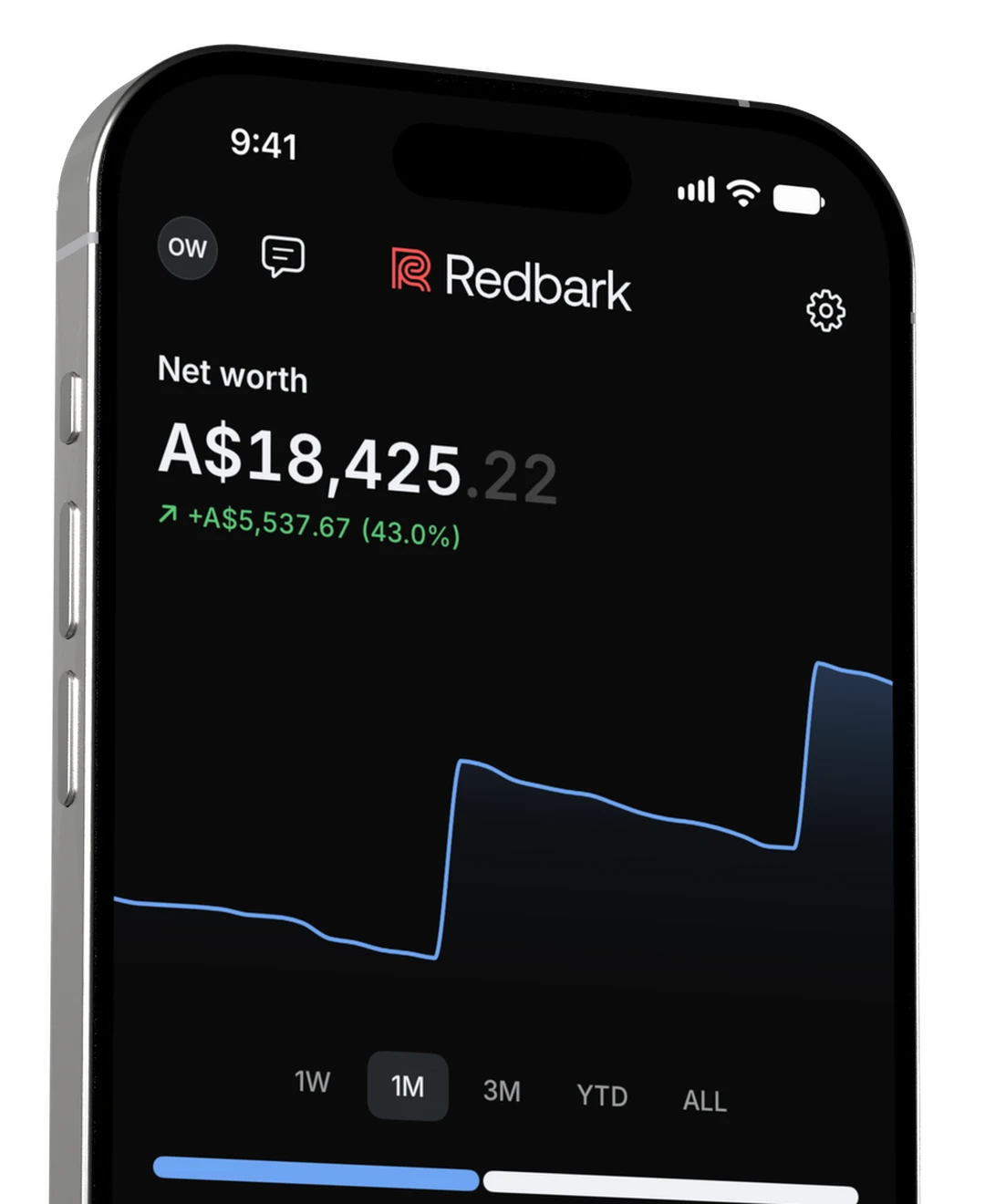
All your Aussie banks,
now on iPhone.
Net worth, accounts, spending and Ask, always with you. Stored encrypted on your iPhone, never on Redbark’s servers.
Get it todayApp StoreEvery account, grouped by bank
CommBank, Westpac, ANZ, NAB and more. Open an account to see its balance history.
Explore banks


Make each payment yours
Change a category, add a note or attach a receipt to any transaction.
Read the launch post
Woolworths
A$82.16
31 Aug
Investments
Holdings, unrealised gains and trades from your brokerage.
Brokerage accounts need the Professional plan.
Portfolio value
A$21,129.60+A$519.92 unrealised
iPhoneiCloud
Encrypted iCloud sync keeps your data with your Apple account. Redbark cannot read it.
On by default. Turn it off in Settings.
Spending by category
See each category’s share of the month, then open it for the transactions behind it.

Your money in one place
Every Australian bank, card, loan and broker you connect, added up into one net worth. And the chart is always a glance away.






























Find any transaction
Search by name, then filter by period, account or category. Sort by newest, oldest or largest.


See where each month
went, by category
Each category's share of the month, then the transactions behind it.
Holdings, gains
and trades
Value, gain and recent trades for each brokerage. Needs the Professional plan.
Ask about your money
Ask what you spent or where a payment went. Needs iOS 26 and Apple Intelligence on a supported iPhone.
You've spent A$1,343.20 so far in September. Groceries are the biggest slice, mostly Coles and Woolworths, then Home and Shopping. The split is below.
Yes. You're already past August's total with three weeks of September to go.
Encrypted on
your iPhone
Transactions and balances are kept in an encrypted database on your iPhone. Encrypted iCloud sync is on by default.
Downloaded financial records are encrypted on this device with a key in its Keychain. Redbark and your connection provider process data to deliver it to the app.
Signing out keeps this device's encrypted history and its key. Reset local copy erases both.
Locked with Face ID
Face ID is on by default. You can also hide the app when you switch apps or record the screen.
Off by default. When on, Redbark covers the app when inactive or during detected screen recording or sharing.
Widget amounts are hidden by default. If you show them, they may be visible to others.
Take Redbark with you
Download the app and sign in, or start a 7 day trial in the app with no card.