
How to find forgotten subscriptions with AI using your Australian bank data
Connect your Australian bank accounts to Claude or ChatGPT through Open Banking, then ask it to find recurring charges, price rises, annual renewals and duplicates.

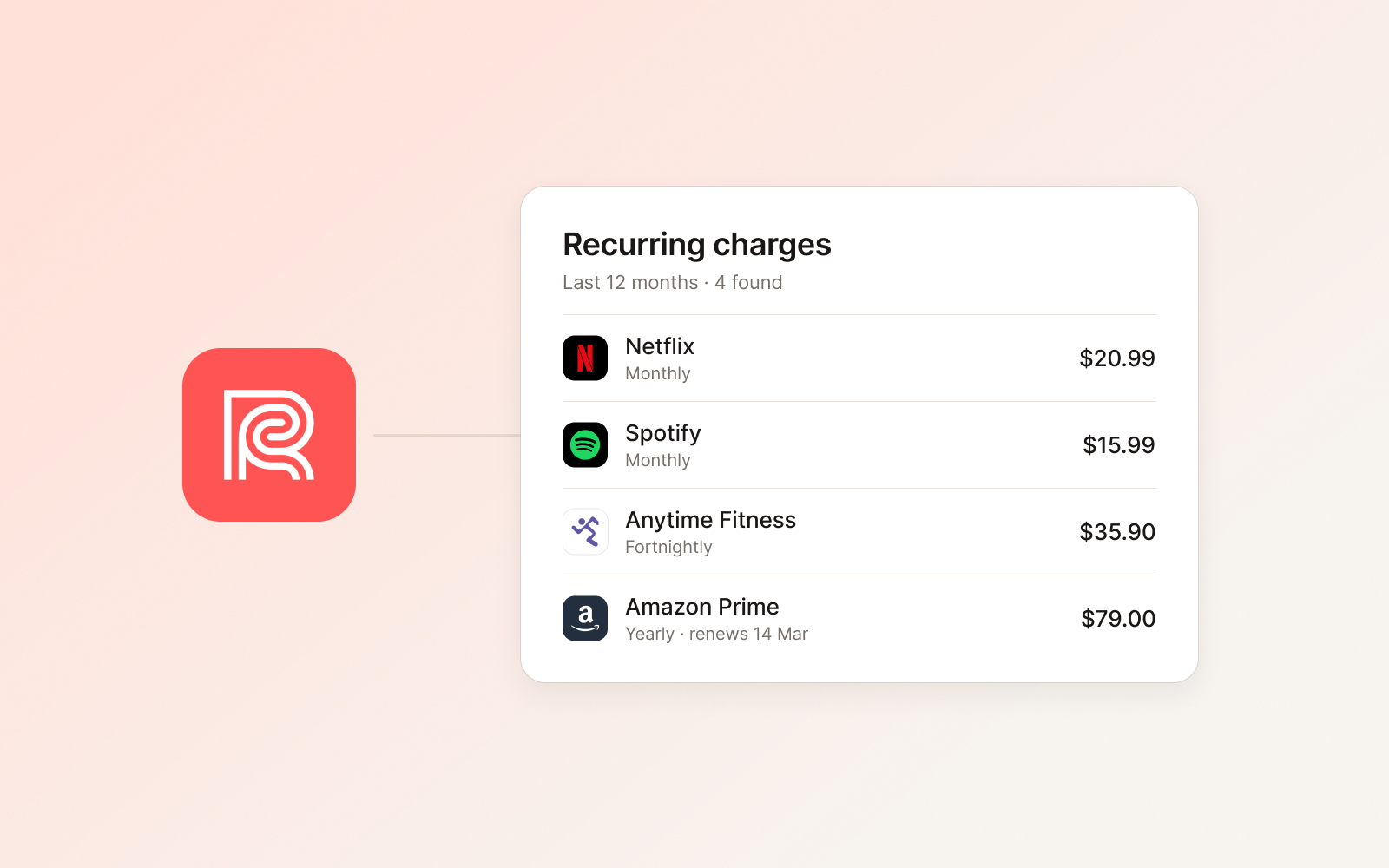
The quickest way to find forgotten subscriptions with AI is to connect your bank accounts to an AI assistant, then ask it to find recurring charges. With Redbark, you link your Australian accounts through Open Banking (CDR) and add Redbark to Claude or ChatGPT as a connector. The assistant can then read 12 months of transactions and list every charge that repeats, along with how often, how much, and when it last hit your account.
This guide covers why subscriptions are easy to miss, how an assistant spots them, the exact prompts to use, and how to cancel what you find.
Why do subscriptions slip through?
Most people can name their streaming services. The ones that hide are the ones you don't see every month.
- Annual renewals. Software, cloud storage, memberships and domain names often bill once a year. Twelve months is long enough to forget you signed up.
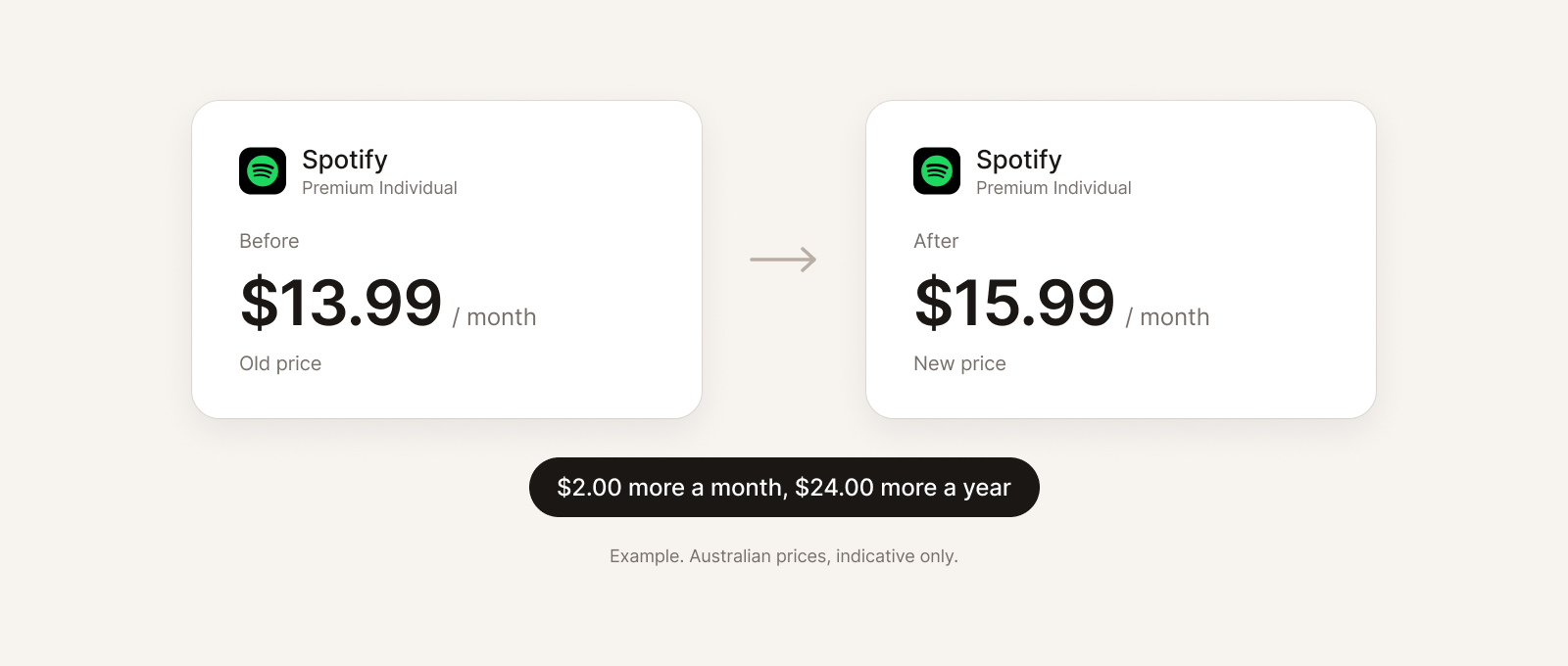
- Price rises. A monthly charge that goes up by a dollar or two rarely gets noticed. Over a year it adds up.
- Free trials. A trial that needed a card number turns into a paid plan unless you cancel in time.
- Charges split across accounts. One service is on your CommBank debit card, another on an ANZ credit card, a third on your Up account. No single banking app shows the full picture.
- Small add-ons. Phone plan extras, in-app purchases and cloud storage tiers are small enough to blend into normal spending.
Your bank statement has all of this. It is just spread across hundreds of rows and several accounts.
How does AI find recurring charges?
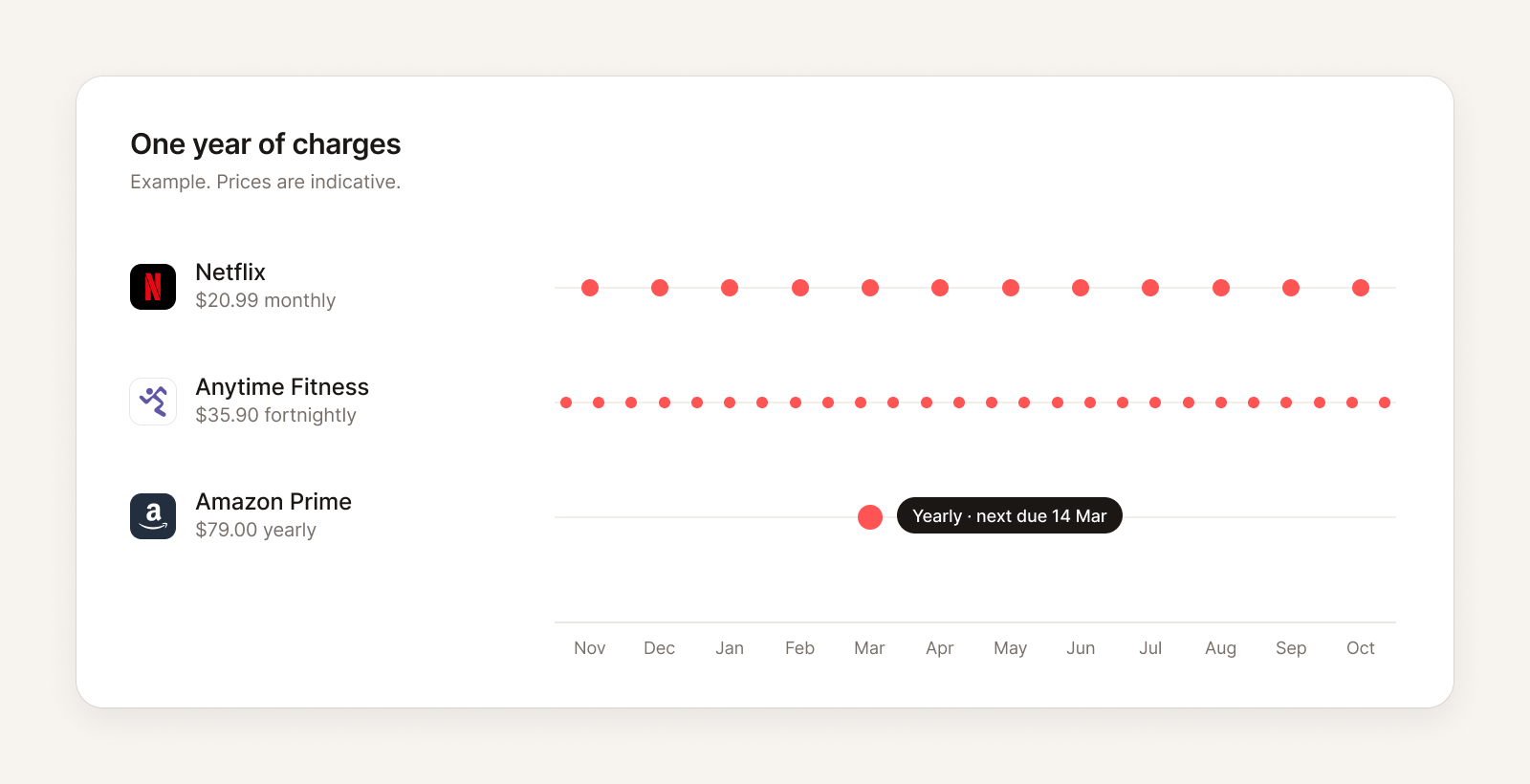
A subscription leaves a clear pattern in your transactions. The same merchant appears at a regular interval for a similar amount. Weekly, fortnightly, monthly and yearly are the common ones.
An AI assistant is good at spotting that pattern. Given a year of transactions, it can group them by merchant, check the gaps between charges, and compare the amounts. That also surfaces the things a person scanning a statement tends to miss: an amount that changed partway through the year, a merchant charged twice on the same day, or a charge that only appears once because it is annual.
The assistant needs your real transactions to do this. Pasting a CSV export works once, but it goes stale and gets messy across several banks. A live connection is simpler, and you can ask again next month.
How do I connect my Australian bank accounts to Claude or ChatGPT?
Redbark runs an MCP server, which is the standard way AI assistants connect to outside services. Claude, ChatGPT and other MCP clients can add it as a connector. The full walkthrough is in How to connect your Australian bank account to Claude and ChatGPT. The short version:
-
Connect your banks to Redbark. Sign up and add a connection. For Australian banks you go through Fiskil's CDR consent flow: pick your bank, log in with the bank directly, and approve read access. Redbark supports 100+ Australian banks, including CommBank, ANZ, NAB, Westpac, Macquarie and Up. Add every account you pay subscriptions from, credit cards included.
-
Add the Redbark connector to your assistant. In Claude, go to Settings, then Connectors, and add a custom connector. In ChatGPT, go to Settings, then Connectors (custom connectors need a paid ChatGPT plan). Paste this URL:
Redbark connector URLhttps://mcp.redbark.com/mcp -
Authorise in the browser. Redbark uses OAuth, so there is no API key to copy. On the consent screen, read access is all this task needs.
-
Ask your first question. Try "What bank accounts do I have connected?" to check everything is linked.
MCP access is included in the Developer and Professional plans, and in the 7-day free trial. Setup steps for other clients are on the MCP page.
What prompts find forgotten subscriptions?
Copy these into Claude or ChatGPT once Redbark is connected. Each one works on its own, but they work best in order, in the same chat.
Look at all my bank and credit card transactions from the last 12 months. Find every charge that repeats: the same merchant at a regular interval (weekly, fortnightly, monthly or yearly) for a similar amount. Give me a table with merchant, how often, latest amount, last charged date, and the account it comes from. Sort by yearly cost, highest first.
For each recurring charge you found, check whether the amount changed during the year. List any that went up, with the old amount, the new amount, the month it changed, and the extra cost per year.
Which of my recurring charges bill once a year? For each one, show the last charge date and when the next one is likely due. Highlight any due in the next 90 days.
Look for possible duplicate subscriptions: the same merchant charged twice in one billing period, or two similar services I'm paying for at the same time (for example two streaming or two cloud storage plans). List them with dates and amounts.
Summarise what I should review: total yearly cost of all recurring charges, the five most expensive, and anything that looks like a forgotten trial or a charge I may no longer use.
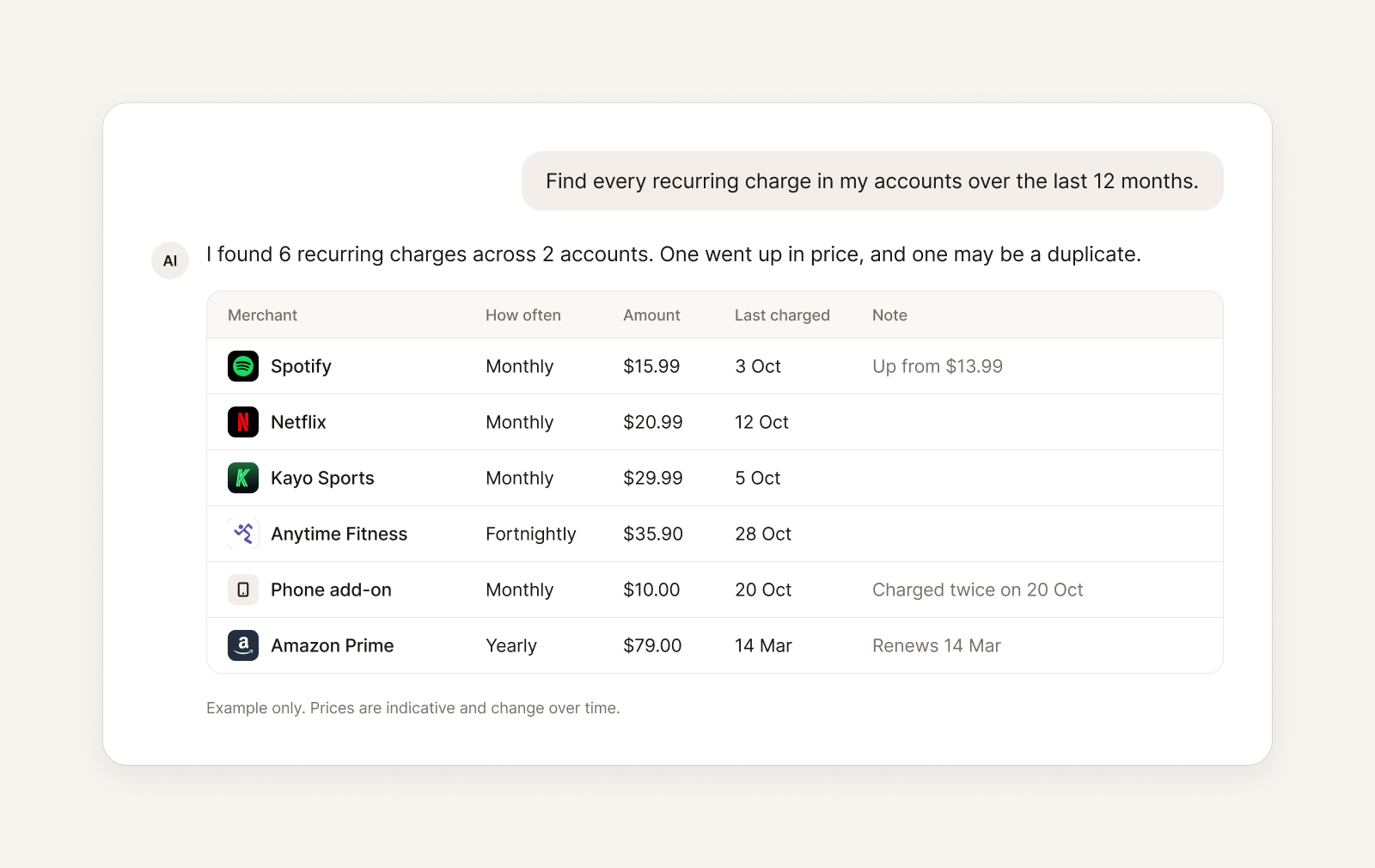
Here is an example of what an answer can look like. The brands are real, but the amounts and dates are only an example.
What the assistant is doing behind the scenes
The Redbark connector gives the assistant tools to read your data. For this task it mainly uses three:
search_transactionsfinds transactions in a date range, with optional text, direction (money in or out) and minimum amount filters. It searches every connected banking account by default.spending_summarytotals spending over a date range, grouped by merchant, category, account or month.list_transactionsreads one account's transactions in full when the assistant wants the detail.
The assistant does the pattern matching itself. There is no special "subscriptions" button, which is why clear prompts help.
Each search or summary reads up to 5,000 transactions. If you have a lot of accounts or a busy everyday account, ask for six months at a time, or one account at a time, and then ask the assistant to combine the results.
Is it safe to let AI read my bank transactions?
A few facts worth knowing before you connect:
- The assistant cannot move money. Redbark never makes payments. Its tools can change Redbark settings, like syncs and rules, but only if you grant those permissions, and never your bank's payment instructions.
- Your bank data is read live. When the assistant asks, Redbark fetches the data from your bank and passes it back. It is not saved to Redbark's database. Reads can pass through a short-lived, encrypted cache. More detail is in how Redbark handles your data.
- Consent is under the CDR. Australian bank data comes through Fiskil, an accredited data recipient under the Consumer Data Right. You choose the accounts and can withdraw consent at any time.
- Your AI provider sees the results. Once transactions reach Claude or ChatGPT, that provider's data policies apply. Check its retention and training settings if that matters to you.
- You can disconnect at any time. Revoke the connector in Settings > API & MCP.
Can I find subscriptions without AI?
Yes. If you would rather not use an assistant, sync your transactions to a spreadsheet and look for the pattern yourself.
- Sync your Australian bank accounts to Google Sheets with Redbark. Each transaction becomes a row with columns such as Date, Description, Amount and Merchant. Google Sheets syncing is on every plan, including Saver.
- Filter to money going out, over the last 12 months.
- Sort by Merchant, then by Date. Recurring charges show up as runs of the same name with evenly spaced dates.
- Add a pivot table with Merchant as rows and a count and sum of Amount as values. Anything with a count of 12 (monthly), 26 (fortnightly) or 52 (weekly) is worth a look. Then check merchants with a count of 1 for annual renewals.
It takes longer than asking an assistant, but the data stays in a sheet you own and updates on a schedule.
How do I cancel a subscription in Australia?
Once you have your list, work through it from the most expensive down.
- Cancel with the business first. Log in to the account, or use the app store if you subscribed through your phone. Save the confirmation email or a screenshot.
- Check the next billing date. Many services run to the end of the paid period. Note the date so you can confirm no further charge appears.
- Stop direct debits through your bank if needed. Moneysmart's guide to direct debits says that to cancel a direct debit you usually contact both your bank and the business. For a recurring payment on a credit card, contact the business first, then your bank.
- Watch the next statement. Ask your assistant again next month: "Did any of the subscriptions I cancelled charge me again?"
If a business keeps charging you after you cancelled, contact your bank about the charge.
FAQ
Which Australian banks work with this?
Redbark connects to 100+ Australian banks and credit unions through Open Banking, including CommBank, ANZ, NAB, Westpac, Macquarie and Up. New Zealand and US banks are supported too.
Do I need Claude or ChatGPT specifically?
No. Any assistant that supports remote MCP connectors can use the Redbark server, including Claude, ChatGPT, Cursor and others. Setup for each is on the MCP page.
How far back can the assistant look?
Twelve months is the useful window for subscriptions, because it catches annual renewals. Redbark can read further back for live bank accounts, but each search reads at most 5,000 transactions, so long windows on busy accounts may need splitting.
Will this catch subscriptions on my credit card?
Yes, if the credit card account is connected. Add every card and account you pay subscriptions from, or the assistant will only see part of the picture.
What does it cost?
The MCP connector is part of the Developer and Professional plans. You can try it free for 7 days. Google Sheets syncing is also on the cheaper Saver plan. See pricing.